User Guide
Import Audit Log
Every import is recorded per issue, so you can see what was created, when, and by whom.
What Is Recorded
| Field | Description |
|---|---|
| User | Who ran the import |
| Timestamp | Date and time of the import |
| Created | How many subtasks were created |
| Skipped | How many rows were skipped |
| Rows | Total rows in the file |
Ways to Use the Log
- Check for double imports: Confirm a sheet was not imported twice.
- Trace a batch: Find who created a group of subtasks and when.
- Reconcile counts: Compare the row count with the number of rows in your sheet.
- Support reviews: Show a manager or auditor how a plan was loaded into Jira.
Where to Find It
Open the parent issue and scroll to the Import History section in the Subtask Importer panel. The header shows the total number of imports for that issue, and each entry shows the user, the time, and the created and skipped counts.
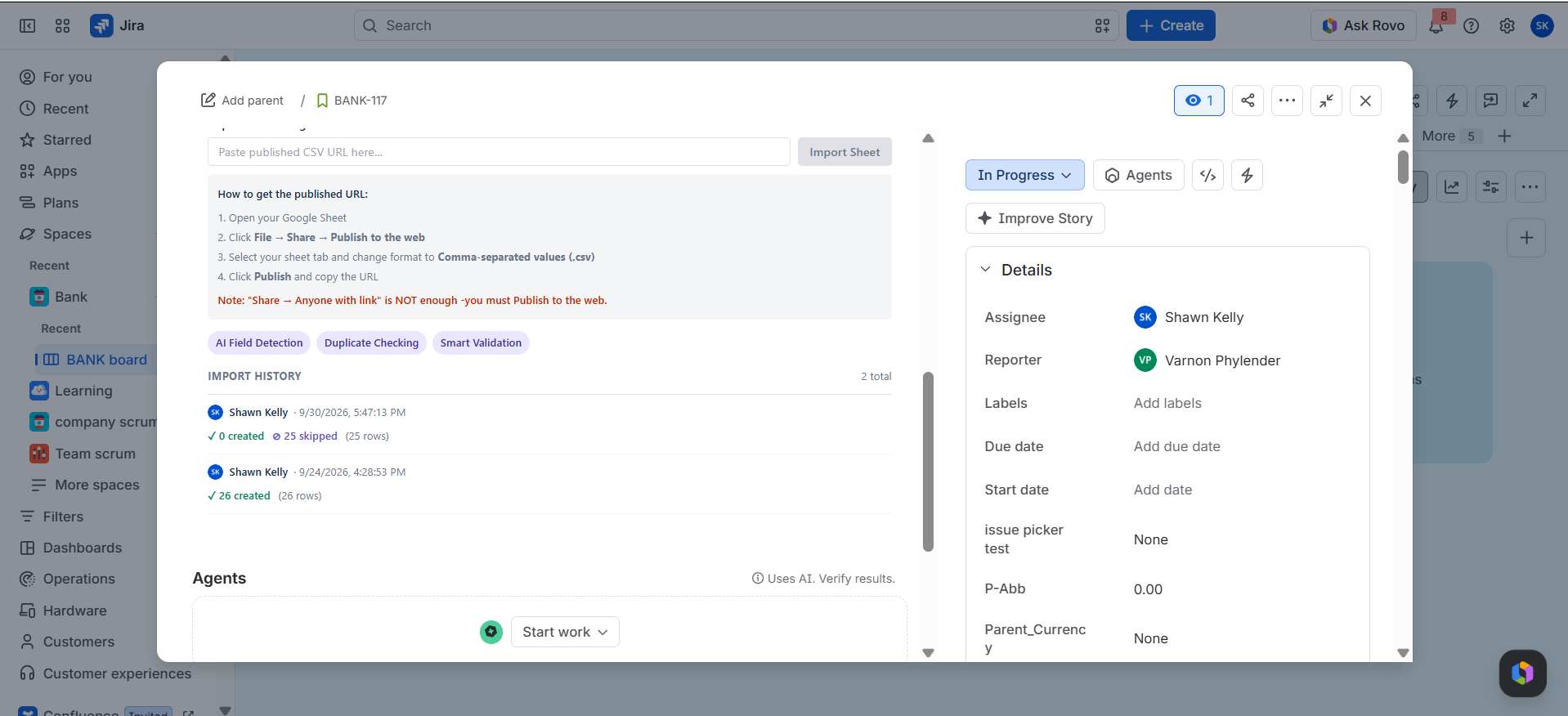
If a run shows skipped rows, compare the count with your file and check the Validation and Preview checks.