WIP Aging Charts
WIP Aging Charts
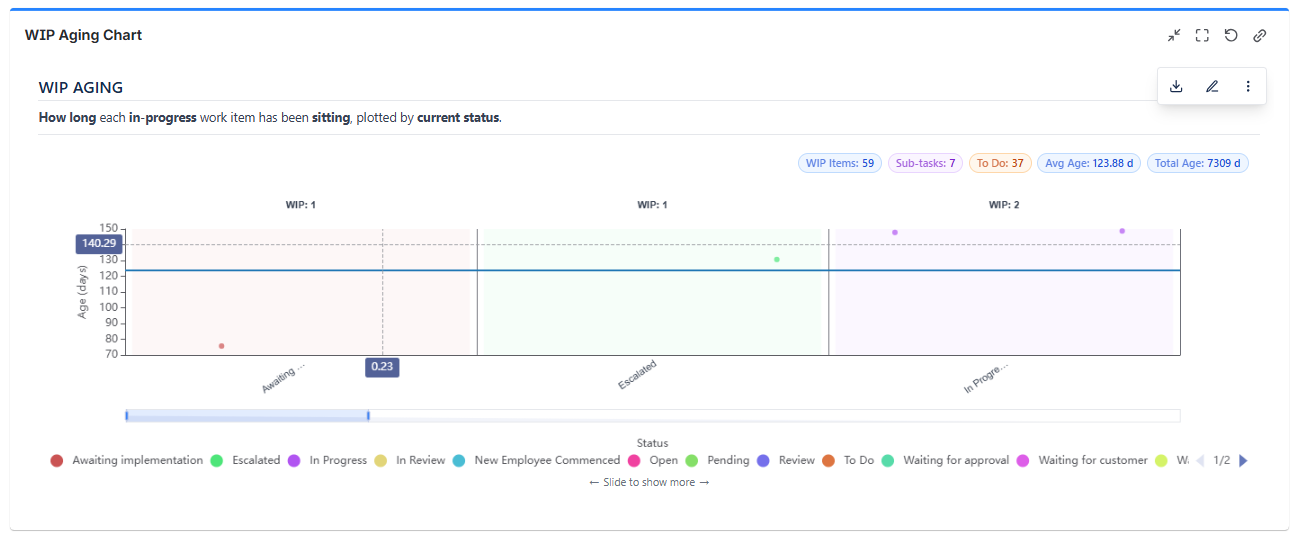
The WIP Aging Charts gadget visualizes how long your current work-in-progress items have been active. It plots issues on a scatter chart with one column per status on the X-axis and age on the Y-axis - giving you an immediate view of which items are stalled, approaching SLA limits, or far outside normal cycle time.
Use this section to understand the scatter plot format, age calculation options, and how to configure reference lines for your team's SLA thresholds.
In This Section
| Page Name | Description |
|---|---|
| Overview | What the WIP Aging Chart shows, how to read the scatter plot, and data source options. |
| Age Calculation Methods | All 5 age calculation methods, display units, weekend exclusion, and calendar vs. business time. |
| Reference Lines & Scale | Average, threshold, and percentile reference lines - how to configure each and what they mean. |
| Display Settings & Export | Data table view, display toggles, export options, and common use cases. |