Display Options & Patterns
Control how the CFD looks, customize individual bands, use advanced options, and learn to read common chart patterns.
Display Options
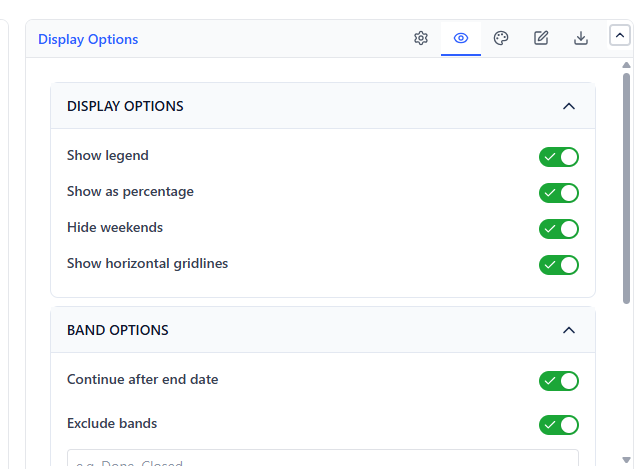
| Option | What It Does | Default |
|---|---|---|
| Show legend | Show/hide the band legend | On |
| Show as percentage | Display bands as percentage instead of counts | Off |
| Hide weekends | Skip Saturday and Sunday on the X-axis | Off |
| Show horizontal gridlines | Add horizontal gridlines for reading values | On |
| Enable scroll zoom (Axis & Zoom) | Allow scroll zoom on the chart | Off |
Intervals of (1 day, 1 week, 2 weeks, 1 month (approx.)) and Include sub-tasks are in the CFD Settings tab.
Band Options
| Option | What It Does |
|---|---|
| Continue after end date | Include issues that transitioned after the chart's end date |
Band Customization
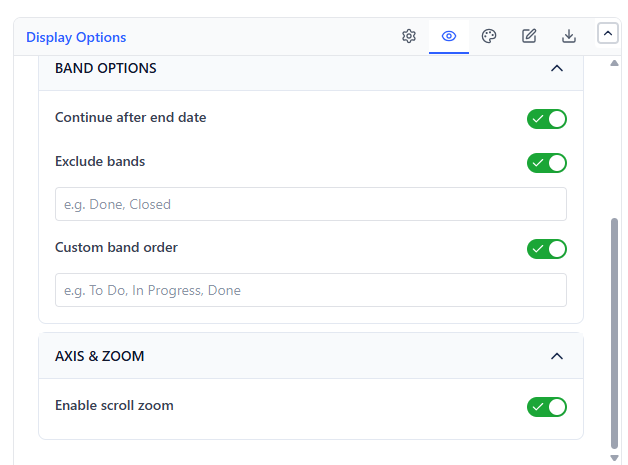 |  |
After the chart loads, customize individual bands in the band list:
- Exclude bands - turn it on and type band names, comma-separated (e.g. Done, Closed), to remove them from the chart and the count
- Custom band order - turn it on and type band names, comma-separated, in the order you want (bottom = first stage)
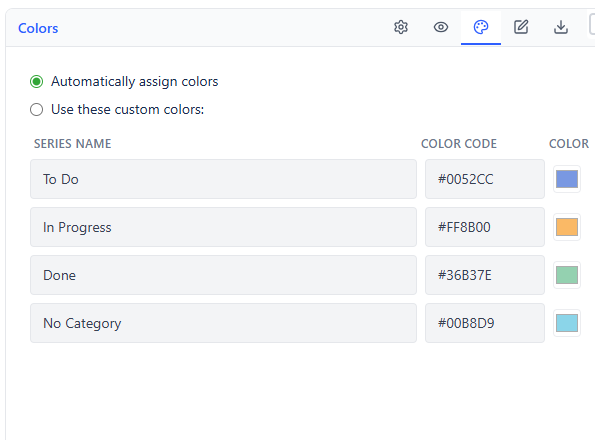
- Custom colors - in the Colors tab, choose Use these custom colors, then set each band's color
Tip: Order bands so the earliest stage (e.g., "To Do") is at the bottom and the final stage (e.g., "Done") is at the top. This is the standard CFD convention - completion accumulates upward.
Export
| Format | What Is Exported |
|---|---|
| The chart as a PDF (when your admin allows export) | |
| Configuration | Configuration code of all settings, copied to your clipboard for reuse or backup |
Interpreting Common CFD Patterns
Healthy Flow
All bands are roughly proportional. The total height grows steadily. The Done band widens progressively. No single band dominates.
Bottleneck
One band (e.g., "In Review") grows consistently wider over time while later bands stay flat. Work is entering the stage faster than it is leaving. Address that stage's capacity.
Scope Creep
The top of the chart keeps rising even as the Done band grows. New work is being added faster than it is being completed.
Stalled Sprint
The chart goes flat across all bands for multiple days. Work is not moving - investigate blockers, dependencies, or team availability.