Overview
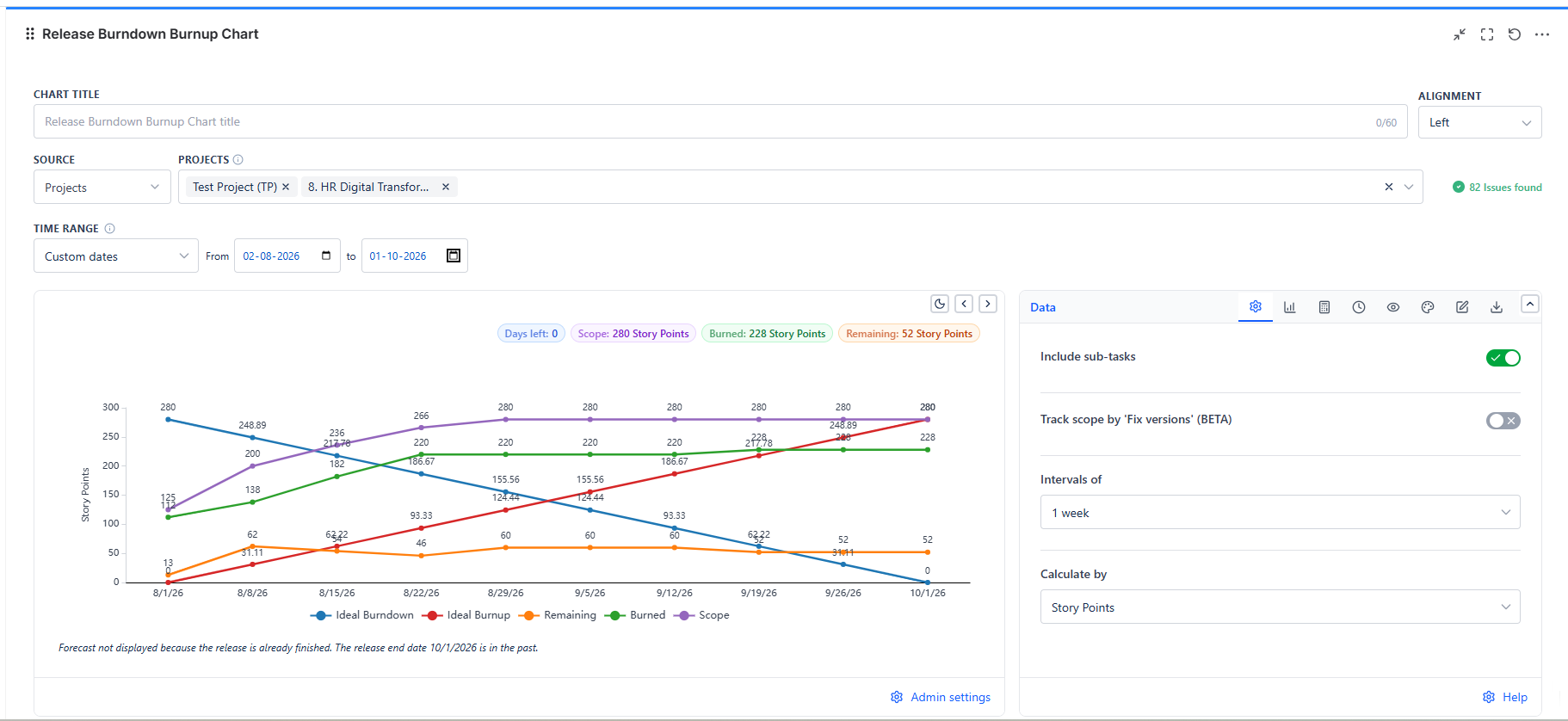
The chart plots your release interval by interval. Solid lines show what really happened up to today; dashed forecast lines show where the work is heading.
Overview
| Feature | Description |
|---|---|
| Nine Series | Ideal Burndown, Ideal Burnup, Remaining, Burned, Scope, and four dashed forecast lines - each toggled on or off |
| Six Measures | Story Points, Story Point Estimate, Original Time Estimate, Time Remaining & Time Spent, Work Item Count, or a custom numeric field |
| Three Time Ranges | Custom dates, the dates of a project release, or the dates of a sprint |
| Forecast | Projects the end date from your velocity, and can also forecast scope growth |
| Milestones | Mark percentage points, dates, or labelled dates on the chart |
| Configurable Done | Done by status category, by the last column of a board, or by a list of statuses |
Data Sources
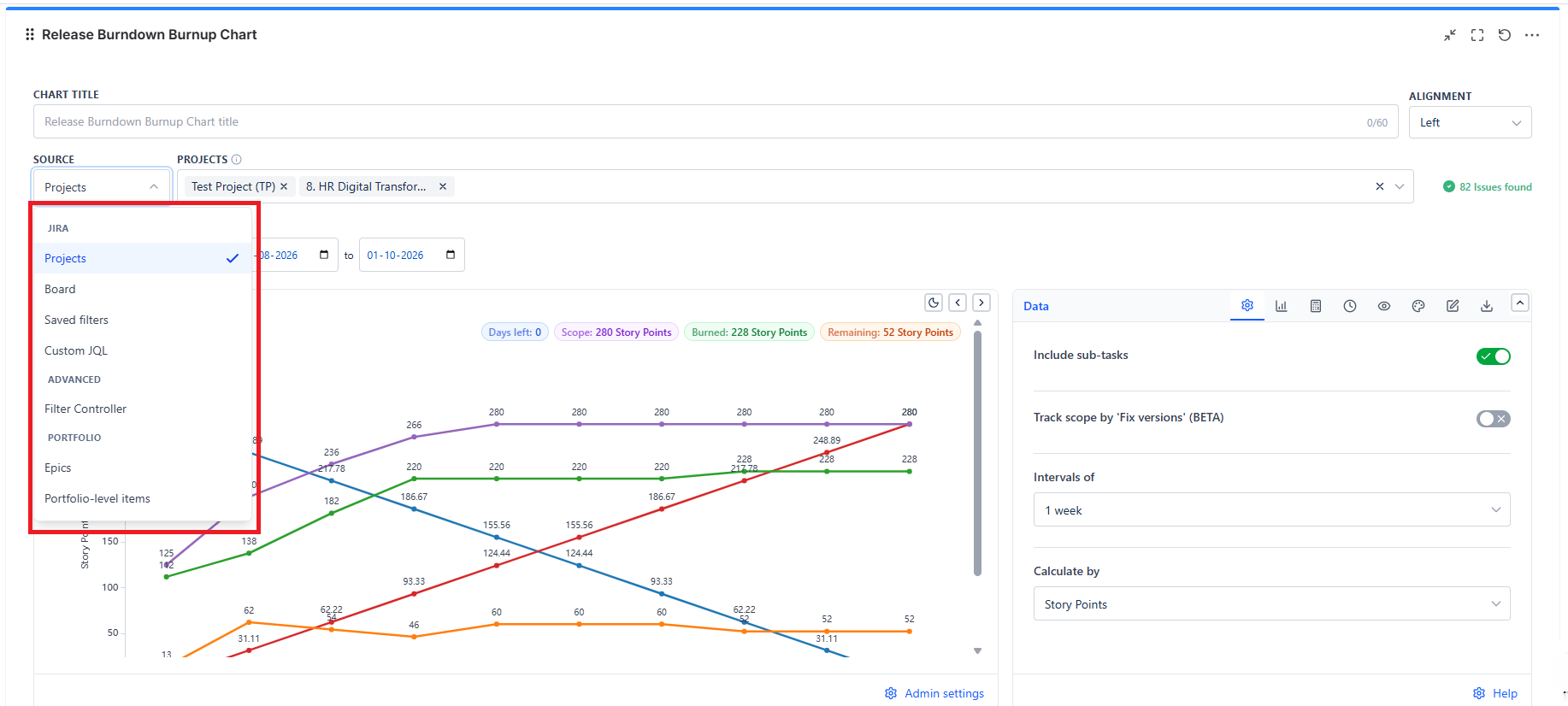
The source picker offers three groups:
| Group | Sources |
|---|---|
| JIRA | Projects, Board, Saved filters, Custom JQL |
| ADVANCED | Filter Controller |
| PORTFOLIO | Epics, Portfolio-level items |
Epics and Portfolio-level items are offered only in this gadget. Pick one or more epics, or items above the epic level, and the release is made of the work under them.
On a Scrum board, the Board source covers only the board's open sprints. On a Kanban board it covers the whole board.
Time Range
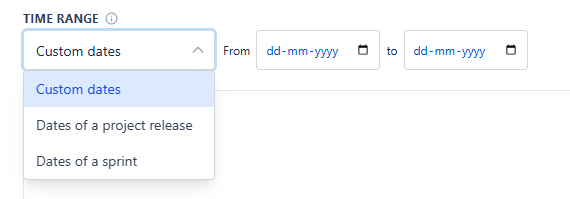
The Time Range field sits directly below the source. It decides the release timeframe shown on the chart.
| Option | What You Pick |
|---|---|
| Custom dates (default) | A start date and an end date - From ... to |
| Dates of a project release | A project, then a release. Its start and release dates are shown as read-only Start date and End date |
| Dates of a sprint | A board that has sprints, then a sprint: Latest sprint (auto), Previous sprint (auto), or any sprint that has started |
Latest sprint (auto) follows the team across sprint boundaries, so the gadget never needs re-editing.
The Numbers Above the Chart
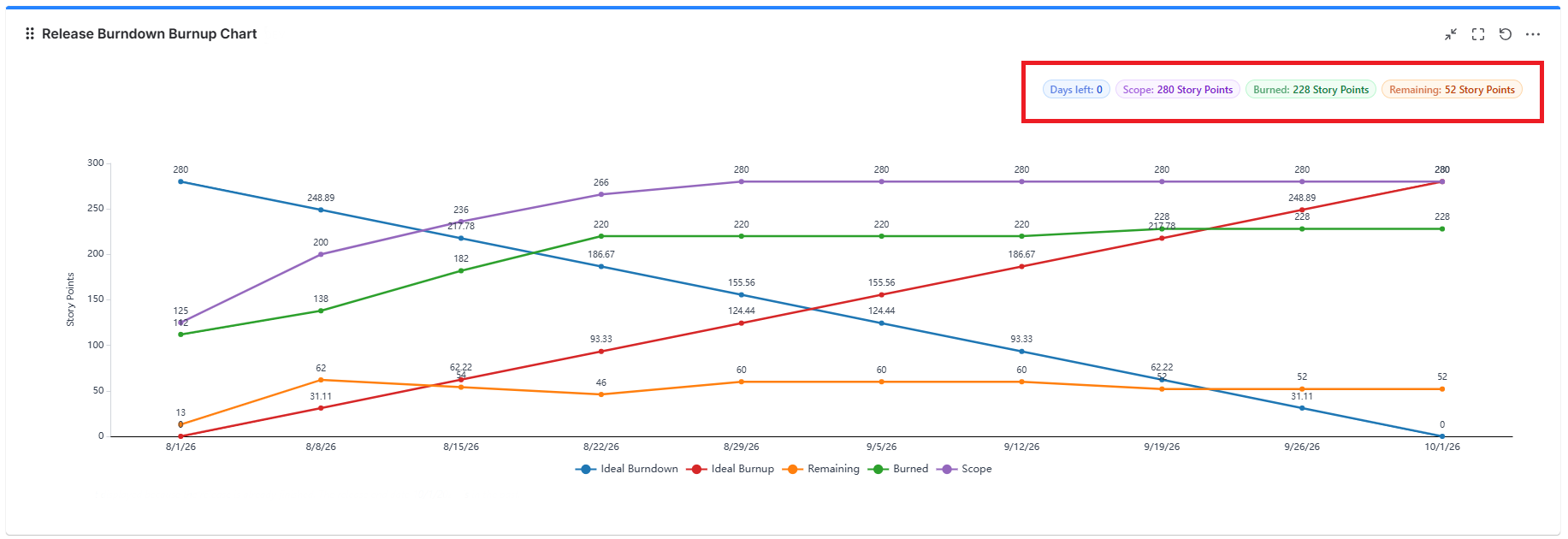
| Badge | Shows |
|---|---|
| Days left | Working days (Mon-Fri) left until the release ends, not counting today |
| ETA | The forecast end date. Shown only when a forecast could be calculated |
| Scope | Total work in the release. Shown when the Scope series is on |
| Burned | Work done so far. Shown when the Burned series is on |
| Remaining | Work still open. Shown when the Remaining series is on |
Click Scope, Burned, or Remaining to open the matching work items in Jira. Jira shows the items as they are now, not as they were on an earlier day of the chart.
How to Read the Chart
- Remaining above Ideal Burndown = behind pace. The gap is roughly the catch-up needed
- Scope stepping up = work was added to the release after it started
- Burned rising steadily = predictable delivery
- Forecast Remaining reaching zero after the release end date = the release will not finish on time at the current pace
The solid lines stop at today. An interval only counts as completed once it has ended - today's interval is never counted as completed.