Release Burndown & Burnup
Data & Series
Data Tab
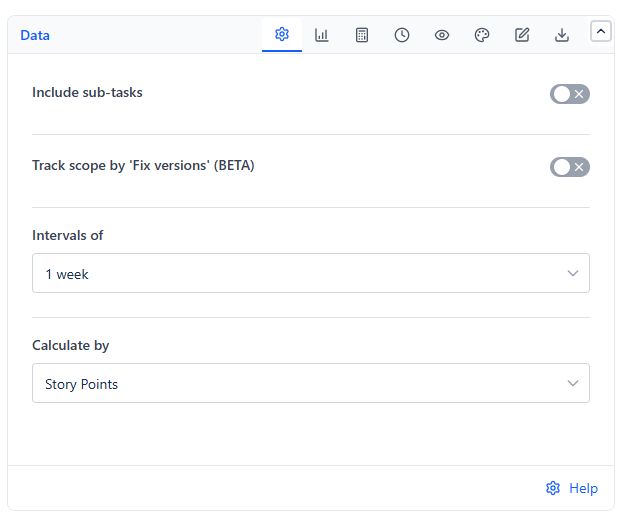
| Setting | What It Does | Default |
|---|---|---|
| Include sub-tasks | Includes sub-tasks alongside their parent items, with their own estimate, in every calculation | Off |
| Track scope by 'Fix versions' (BETA) | Limits the release scope to work items whose Fix versions match the versions you pick. All other work items from the data source are left out | Off |
| Intervals of | The time interval each point on the chart covers: 1 day, 1 week, 2 weeks, 3 weeks, 4 weeks, 6 weeks, 8 weeks, or 1 calendar month. Match it to your sprint length if you work in sprints | 1 week |
| Calculate by | What every calculation measures | Story Points |
Fix versions
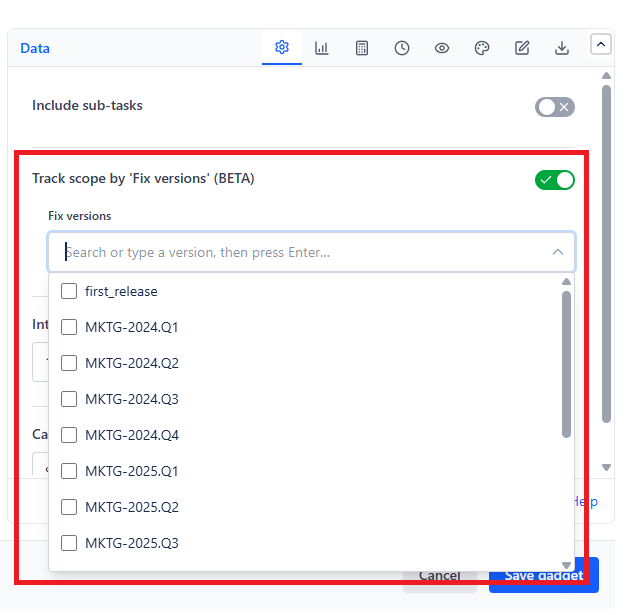
When Track scope by 'Fix versions' (BETA) is on, a Fix versions list appears. Open it to see fix versions from Jira, or type to search, then tick as many as you need. To add a version that is not listed, type its name and press Enter, or click Add "..." at the bottom of the list.
Calculate by
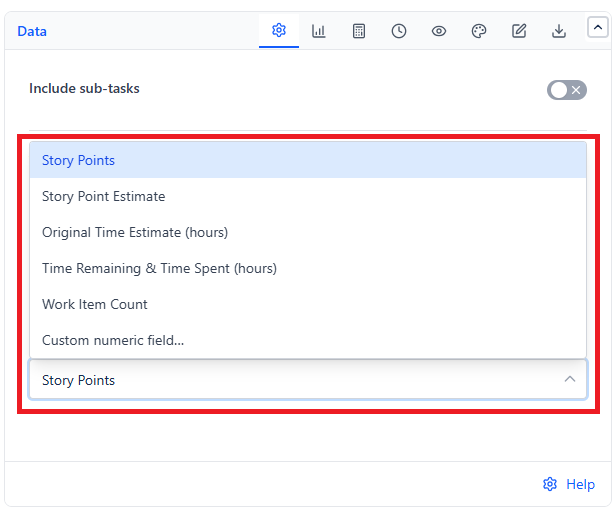
| Option | Measures |
|---|---|
| Story Points | Sum of story points |
| Story Point Estimate | Sum of the team-managed story point estimate field |
| Original Time Estimate (hours) | Sum of original estimates |
| Time Remaining & Time Spent (hours) | Remaining estimate and time spent |
| Work Item Count | Number of work items |
| Custom numeric field... | Sum of a custom numeric field you pick under Numeric field |
If Custom numeric field... is chosen but no field is picked, the gadget asks you to complete the setting before it draws the chart.
Series Tab
Series to Display
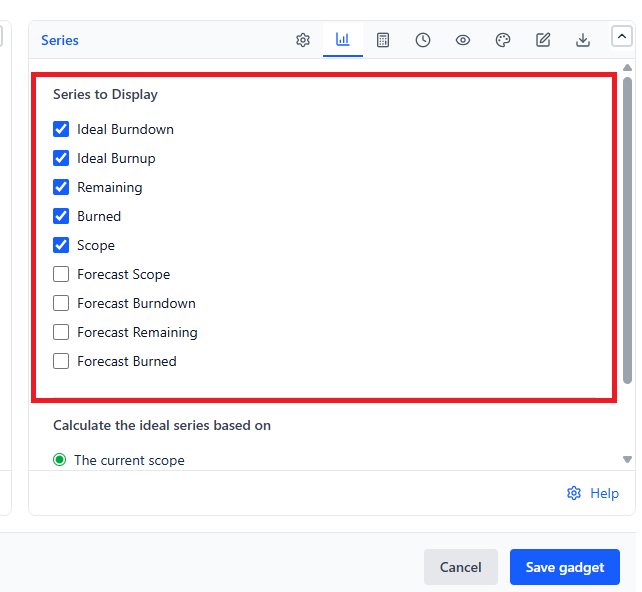
| Series | Shows | Default |
|---|---|---|
| Ideal Burndown | The ideal remaining-work line from release start to end, based on Scope | On |
| Ideal Burnup | The ideal done-work line from release start to end, based on Scope | On |
| Remaining | Total remaining work at each point in time | On |
| Burned | Total work done at each point in time | On |
| Scope | Total work to be done at each point in time - shows scope changes | On |
| Forecast Scope | Dashed line predicting the scope, from the end of the Scope line to the release end date | Off |
| Forecast Burndown | Dashed line from the start of the release to the estimated end date | Off |
| Forecast Remaining | Dashed line from the end of the Remaining line to the estimated end date | Off |
| Forecast Burned | Dashed line from the end of the Burned line to the estimated end date | Off |
For a classic burndown chart, select only Ideal Burndown and Remaining. For a classic burnup chart, select only Ideal Burnup and Burned. The forecast lines are calculated on the Forecast tab.
Calculate the ideal series based on
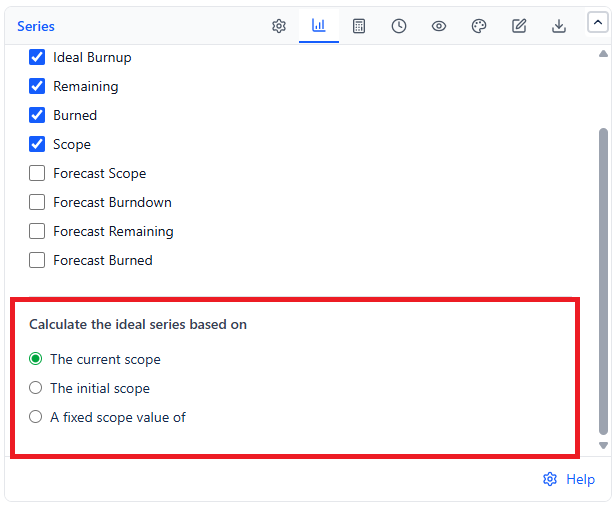
| Option | The Ideal Lines Start From |
|---|---|
| The current scope (default) | The current (latest) Scope |
| The initial scope | Scope at the start of the release |
| A fixed scope value of | A number you type - useful when you know the rough total but have not added all the work items or estimates to Jira yet |
With Intervals of set to 1 day, the ideal lines stay flat on Saturdays and Sundays.