Control Chart
Cycle Definition
The cycle definition is the most important configuration decision in this gadget. It decides which transitions in an item's history start and stop the clock - and two teams measuring "cycle time" with different definitions cannot compare numbers.
Metric
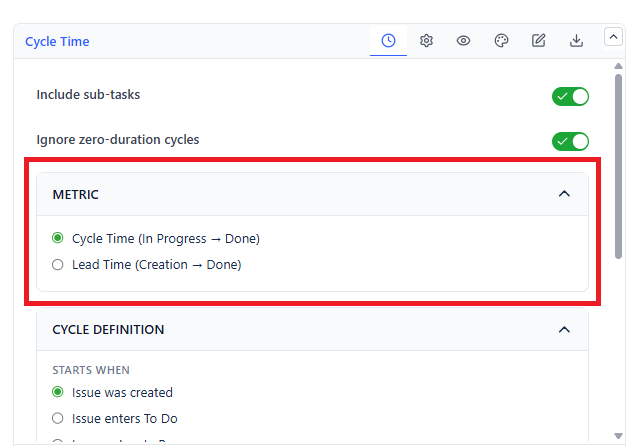
| Metric | Measures From | Use When |
|---|---|---|
| Cycle Time | The start condition you choose below | You want to measure your team's working time, excluding backlog wait |
| Lead Time | The moment the item was created | You want the customer's view - total wait from request to delivery |
Choosing Lead Time hides the start-condition options, because creation is the start by definition.
Starts When
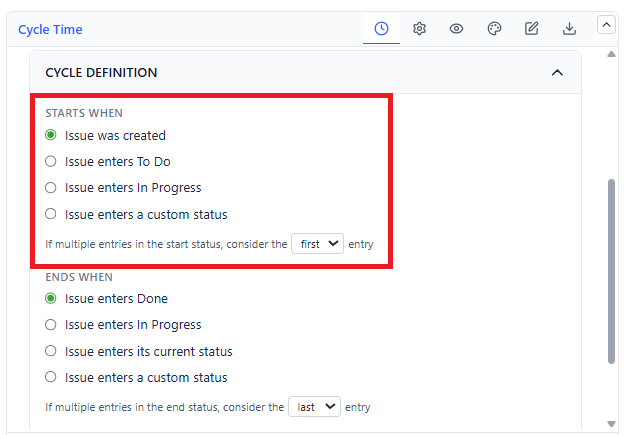
| Option | The Clock Starts |
|---|---|
| Issue was created | At creation. Equivalent to Lead Time |
| Issue enters To Do | The first time it moves into a status in the To Do category |
| Issue enters In Progress | The first time it moves into a status in the In Progress category. Items that never reached In Progress are not plotted |
| Issue enters a custom status | The first time it enters a specific workflow status you name |
Ends When
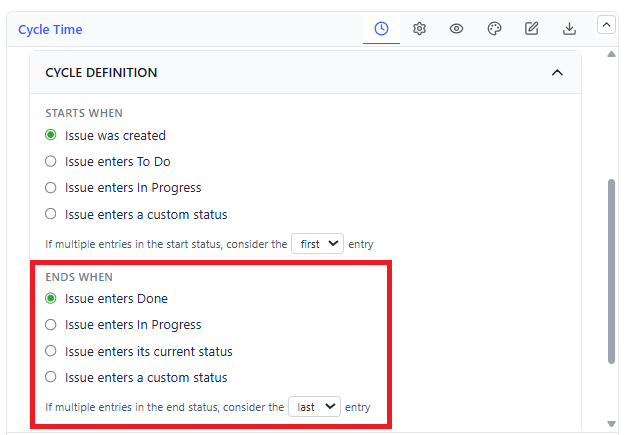
| Option | The Clock Stops |
|---|---|
| Issue enters Done (default) | When it moves into a status in the Done category |
| Issue enters In Progress | When it moves into the In Progress category - measures queue time, or time-to-start |
| Issue enters its current status | At the moment it entered the status it sits in right now |
| Issue enters a custom status | When it enters a specific workflow status you name |
Repeat Entries
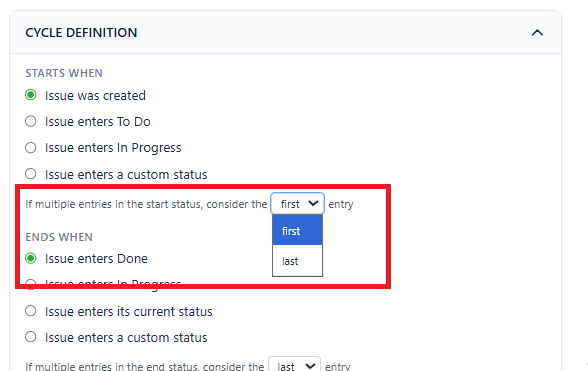 | 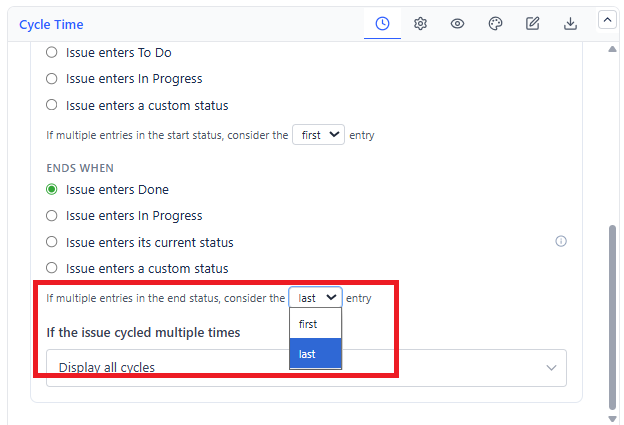 |
Items rarely move in a straight line. Two inline settings control which visit counts:
- If multiple entries in the start status, consider the first / last entry - "first" measures from the earliest start; "last" measures the most recent attempt
- If multiple entries in the end status, consider the first / last entry - "first" credits the earliest completion; "last" waits for the final one
Repeated Cycles
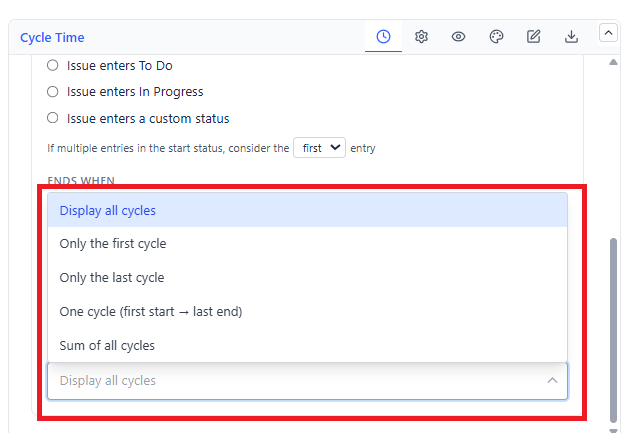
When an item goes through the whole cycle more than once - reopened, or bounced back to In Progress - choose how it is plotted:
| Option | Result |
|---|---|
| Display all cycles | One dot per cycle. Shows rework honestly |
| Only the first cycle | The original pass only |
| Only the last cycle (default) | The most recent pass only |
| One cycle (first start to last end) | A single dot spanning the entire span, rework included |
| Sum of all cycles | One dot totalling the active time only, excluding the gaps between cycles |
Calculation Settings
 |  |
| Setting | Effect | Default |
|---|---|---|
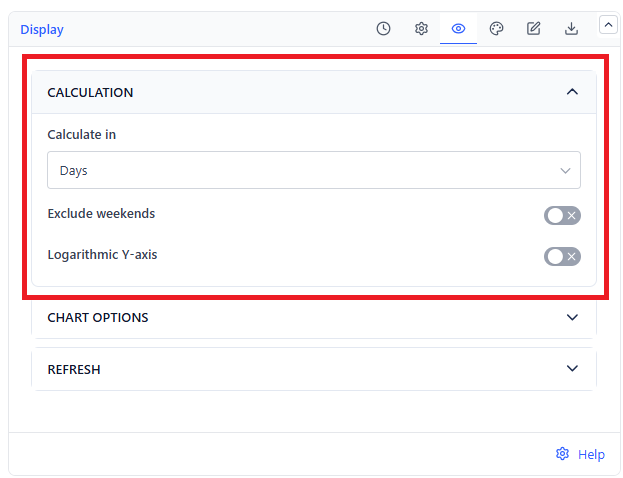
| Calculate in | Unit on the Y-axis: Days, Hours, Minutes, or Weeks | Days |
| Exclude weekends | Skips Saturdays and Sundays, so durations reflect working time | Off |
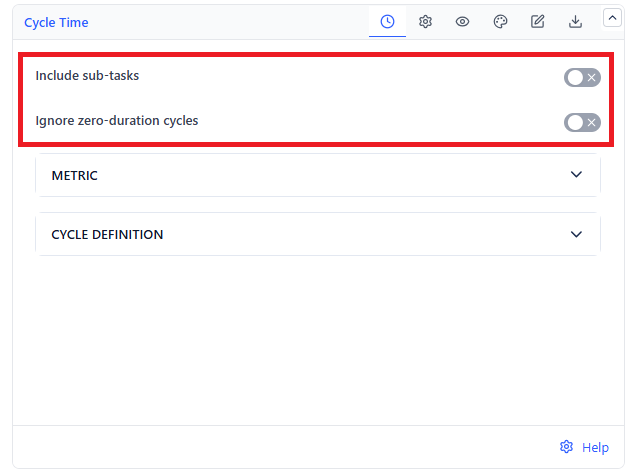
| Include sub-tasks | Plots sub-tasks alongside their parents | Off |
| Ignore zero duration | Drops items whose cycle came out as zero - usually bulk-imported or bulk-transitioned items that would drag the average down | Off |
Reading the config once beats explaining the numbers twice. Write your chosen definition into the gadget's Description tab so viewers know what the chart measures.