Templates For Issue List
Start with a ready-made table layout instead of building the Issue List from scratch. Templates set up the most useful columns, default sorting, and quick filters so you can reach a working view faster.
Where to find it
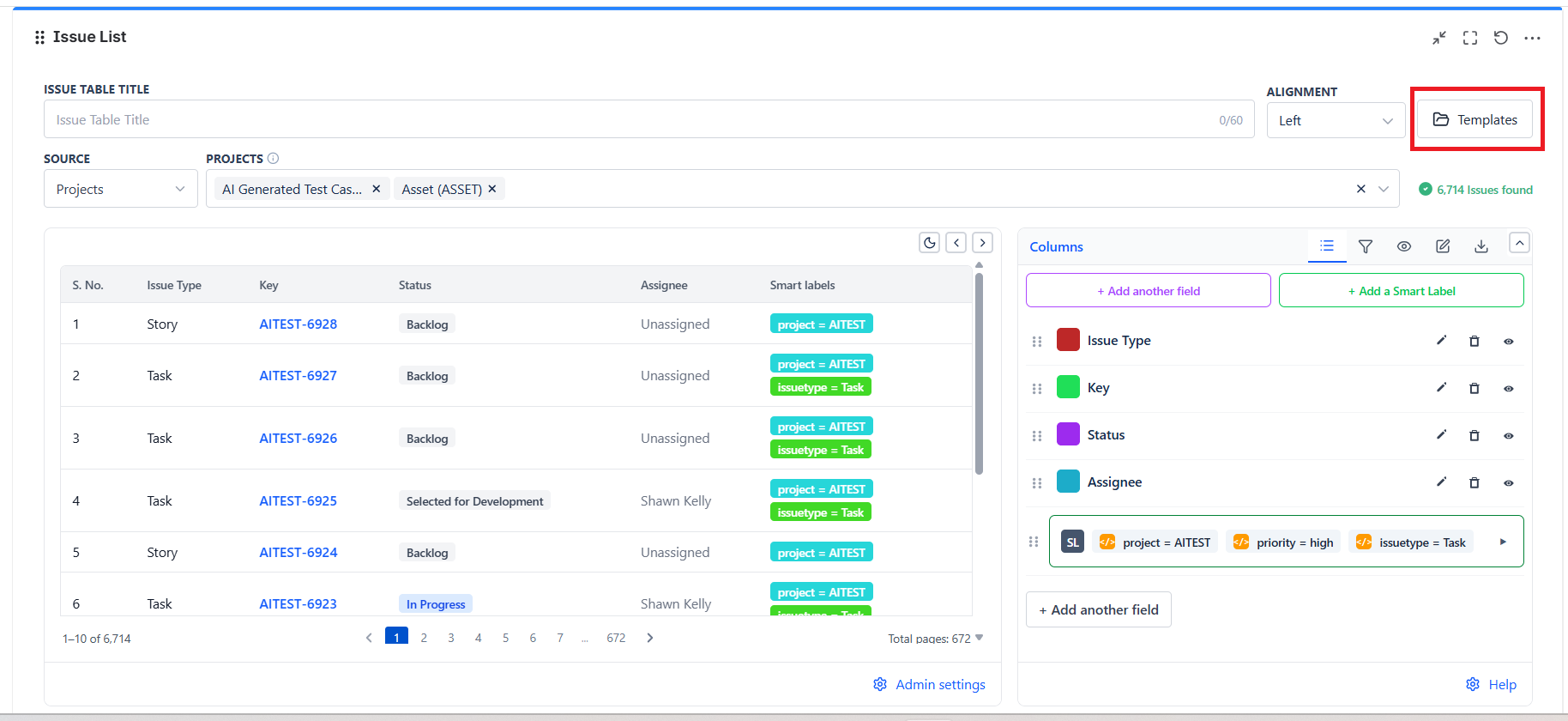
- Open an Issue List gadget
- Click Edit
- Click Templates in the top right of the edit screen
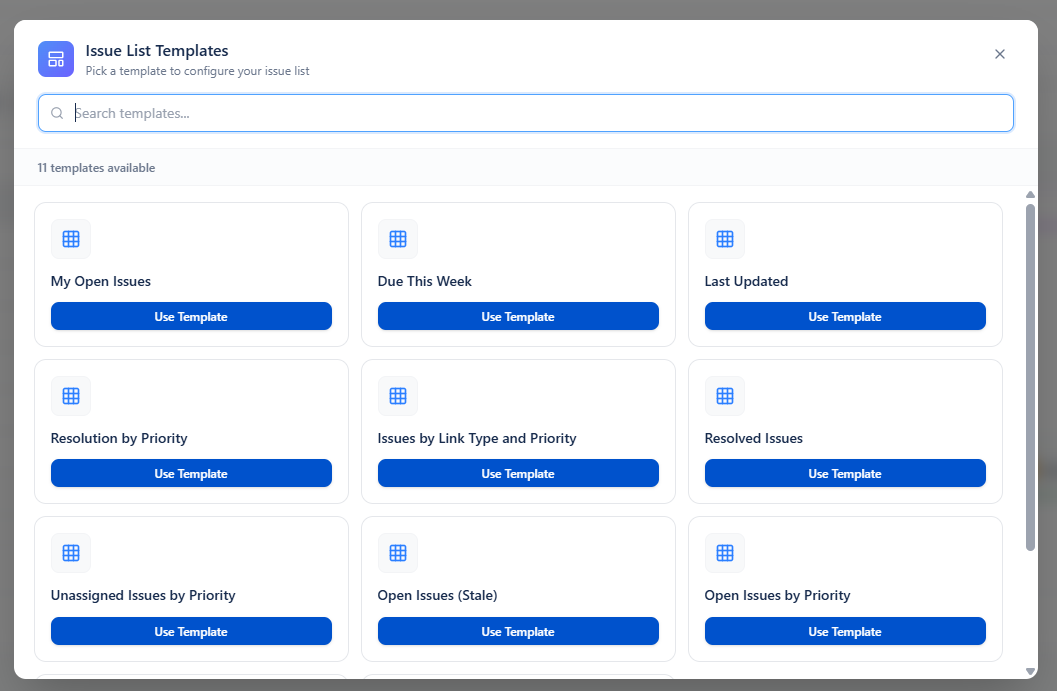
- Choose a template and click Use Template
The gallery lists all eleven templates, with a search box if you know the name:
What templates do
- Apply a ready-made issue table layout for a common reporting use case.
- Update the table title to match the template name.
- Set the main columns shown in the Issue List.
- Apply default table sorting for that view.
- Load the quick filters included in the template.
- Apply the template filter operator when one is defined.
Note: Templates are designed to speed up setup. They give you a strong starting point, and you can still edit columns, sorting, quick filters, and display options after the template is applied.
What stays the same when you apply a template
- The data source stays unchanged. The template does not switch your selected projects, saved filter, custom JQL, or linked Dynamic Filter Controller.
- The template mainly changes presentation and filtering inside the Issue List, not the source selection.
- Existing admin restrictions still apply.
Important template behavior
| Behavior | What it means |
|---|---|
| Title update | The Issue List title is updated to the template name so the table is easy to recognize. |
| Column setup | The template chooses the main columns for that use case, such as Key, Summary, Status, Priority, Assignee, Created, Updated, or Resolved. |
| Sorting | The template applies default sorting so the most important issues appear first. |
| Quick filters | Templates can include one or more quick filters. Some templates include active quick filters by default, while others include optional filters that start inactive. |
| Filter operator | Templates use a filter operator to combine quick filters. In the current built-in catalog, the operator is AND. |
| Issue Type safeguard | If a template does not include Issue Type in its column list, the gadget automatically adds Issue Type so the table keeps a clear type indicator. |
Two kinds of template
| Kind | What happens when you apply it |
|---|---|
| Applied immediately | The template's quick filter is switched on straight away, using a fixed JQL built from Jira functions |
| Asks first | A dialog opens and asks for the values it needs. Your answers become one quick filter |
Built-in Issue List templates
| Template | Kind | Asks you for | Columns | Default sort |
|---|---|---|---|---|
| My Open Issues | Immediate | - | Key, Summary, Status, Priority, Updated, Assignee | Updated, newest first |
| Due This Week | Immediate | - | Assignee, Key, Summary, Status, Priority, Due date | Assignee A-Z, then Priority high to low |
| Last Updated | Asks first | Updated since | Key, Summary, Status, Assignee, Updated, Project | Updated, newest first |
| Resolved Issues | Asks first | Resolved since | Key, Summary, Priority, Assignee, Resolved, Created | Resolved, newest first |
| Open Issues (Stale) | Asks first | Not updated since | Key, Summary, Status, Assignee, Priority, Updated, Created | Updated, oldest first |
| Open Issues by Priority | Asks first | Priority | Key, Summary, Priority, Status, Assignee, Updated, Created | Updated, newest first |
| Unassigned Issues by Priority | Asks first | Priority | Priority, Key, Summary, Status, Project, Created, Updated | Priority high to low, then oldest created |
| Resolution by Priority | Asks first | Resolution, Priority | Priority, Key, Summary, Status, Assignee, Created | - |
| Issues by Status and Resolution | Asks first | Status, Resolution | Key, Summary, Status, Resolution, Assignee, Priority, Project | Status A-Z, then Resolution A-Z |
| Issues by Link Type and Priority | Asks first | Link Type, Priority | Key, Summary, Priority, Status, Assignee, Fix Versions, Updated | Priority high to low, then Updated newest |
| Aged Issue Resolution | Asks first | Resolved since, Created before | Key, Summary, Priority, Created, Resolved, Assignee | Resolved newest first, then oldest created |
The JQL behind the two immediate templates
| Template | JQL applied |
|---|---|
| My Open Issues | assignee = currentUser() AND statusCategory != Done |
| Due This Week | due >= startOfWeek() AND due <= endOfWeek() |
These use Jira functions rather than fixed values, so they keep working as the current user and the current week change.
Note: Templates do not lock the Issue List. After applying a template, you can still add or remove columns, change the sort order, edit quick filters, and save the gadget with your own final setup.