Settings
Calculate By
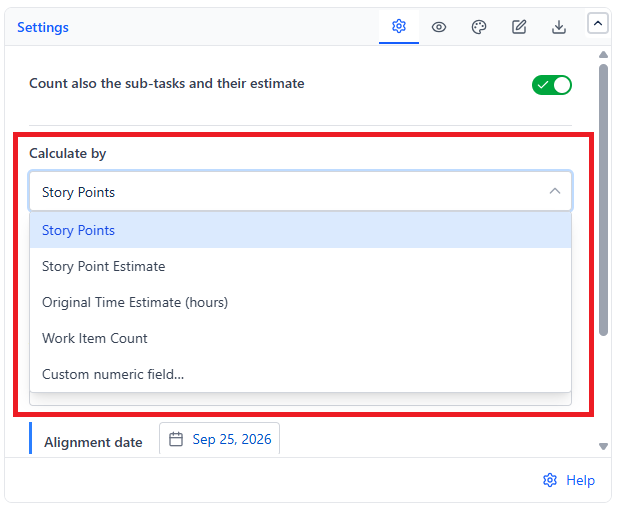
Choose the unit that "velocity" is measured in - this changes what every bar, the average line, and the Backlog forecast all mean.
| Option | Measures | Best For |
|---|---|---|
| Story Points (default) | Sum of story points completed per interval | Teams that estimate in points and want velocity to reflect complexity, not just headcount of tickets |
| Story Point Estimate | Sum of the team-managed story point estimate field | Team-managed projects, where estimates live in a separate field from classic Story Points |
| Original Time Estimate (hours) | Sum of original time estimates | Teams that plan and track in hours rather than points |
| Work Item Count | Number of completed items | Teams that don't estimate at all, or want a simple, honest "how many things shipped" number |
| Custom numeric field | Any custom numeric field on your site | Any other sizing scheme - t-shirt-size-as-a-number, budget, effort units, etc. |
Interval Length
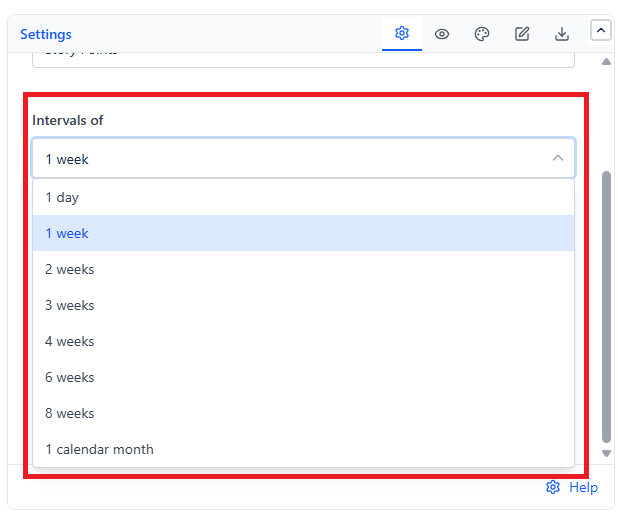
Intervals of sets how wide each bar is - 1 day, 1 week (default), 2, 3, 4, 6, or 8 weeks, or 1 calendar month.
Shorter intervals (days or one week) show week-to-week swings clearly and suit fast-moving Kanban teams. Longer intervals (a month, or several weeks) smooth out noise and are easier to read on a quarterly or executive dashboard, at the cost of hiding short-term spikes and dips.
Time Range Mode
 |  |
| Mode | Behavior | Best For |
|---|---|---|
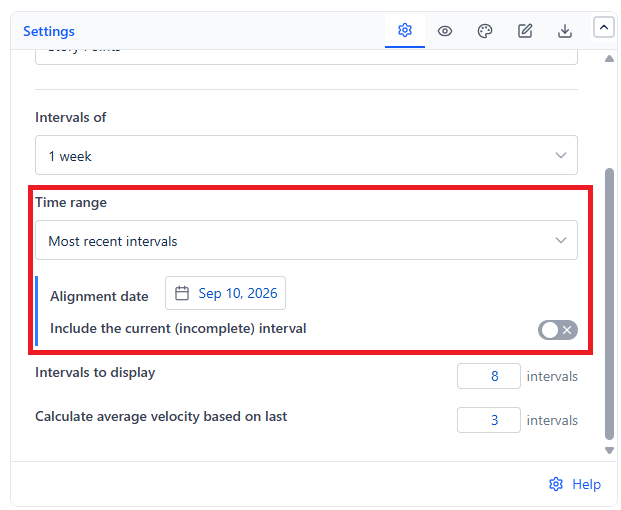
| Most recent intervals (default) | Rolls forward automatically, always ending at "now." Anchored to your chosen Alignment date's exact weekday - e.g., a Wednesday alignment date gives Wednesday-to-Tuesday intervals | A live dashboard that should never need manual updating |
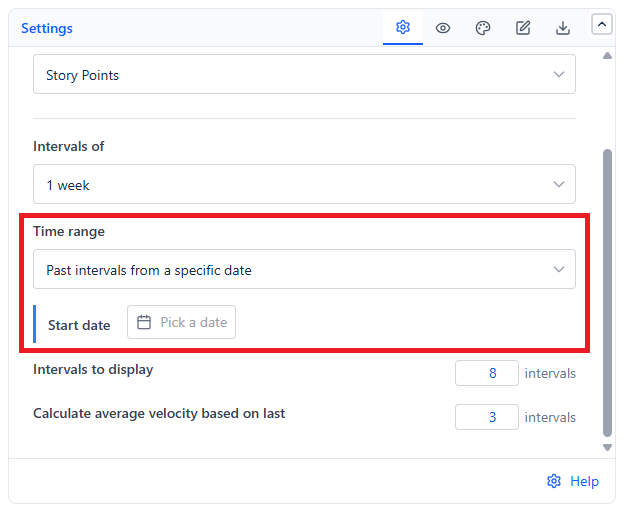
| Past intervals from a specific date | A fixed window starting from a Start date you choose | A specific retrospective or report where the window shouldn't shift over time |
Pick an Alignment date that matches your team's actual cadence - e.g., the date your sprints start - so the chart's buckets line up with the periods your team already thinks in.
With interval length set to "1 calendar month," each interval always starts on the 1st, regardless of your Alignment or Start date.
Interval Count & Averaging Window
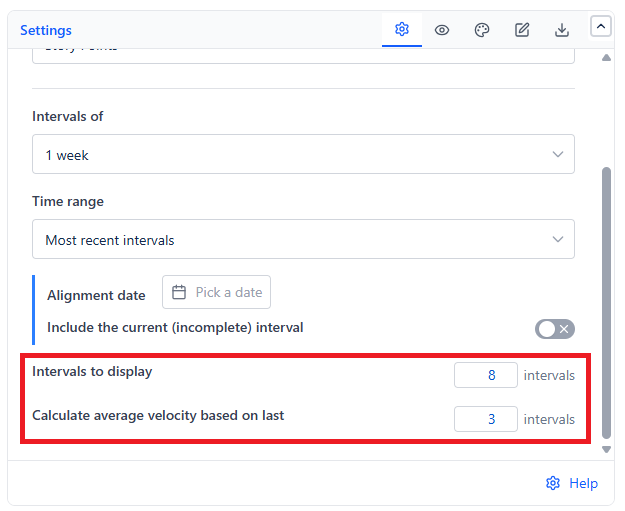
- Intervals to display (1-20, default 8) - how many bars are drawn in total. More intervals show a longer history but make the chart busier; fewer intervals keep it focused on recent performance.
- Calculate average velocity based on last (default 3, capped at your interval count) - how many of the most recent intervals feed the Average Velocity line. A small window reacts quickly to a recent change but looks noisier; a larger window is smoother but slower to reflect a genuine shift in pace.