Colors & Export
Colors
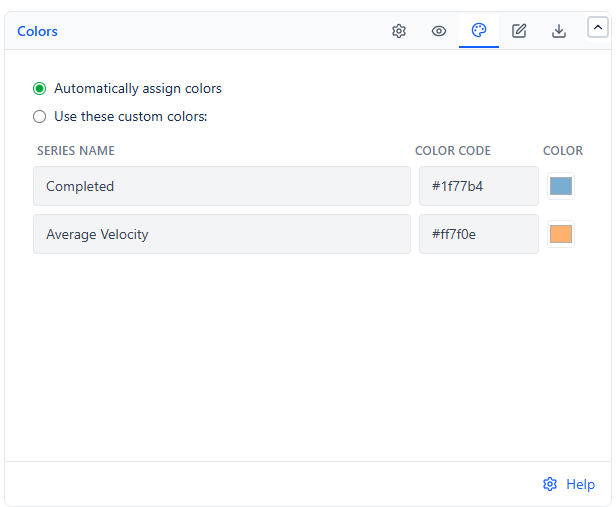
Automatically assign colors (default) picks a consistent color for the Completed bars and the Average Velocity line with no setup. Switch to Use these custom colors if you need the chart to match your organization's own color conventions - for example, on an executive dashboard that uses a fixed brand palette.
Description & Import/Export
Use the Description tab to add a plain-language note above or below the chart - useful for explaining what "velocity" means here to viewers who aren't familiar with the term. Use Import/Export to copy the gadget's full configuration and paste it into another Kanban Velocity gadget, so you don't have to rebuild the same settings for every team's dashboard.
Export
| Format | Contains | Available From |
|---|---|---|
| Copy Configuration | The gadget's settings, as a shareable code | Any view |
| Export as PDF | The chart exactly as displayed | Chart view |
| Export as CSV | Every interval or backlog row, with dates and values | Data view or Backlog view |
Auto-Refresh
Off by default, with 5/10/15/30-minute interval choices once enabled. Turn it on for a wallboard or live team dashboard; leave it off for a gadget used mainly in scheduled reviews, where a manual refresh is enough.
Common Use Cases
Sprint planning capacity checks. Compare the Average Velocity line against your upcoming sprint's committed points before finalizing scope, instead of guessing at capacity from memory.
Backlog ETA conversations. Turn on the Backlog forecast to answer "when will this ship?" for any backlog item, based on real recent throughput rather than an optimistic guess.
Throughput trend reviews. A rising or falling Average Velocity line makes it easy to show whether a process change - a new WIP limit, a team member joining - actually changed delivery speed.