Kanban Velocity
Overview
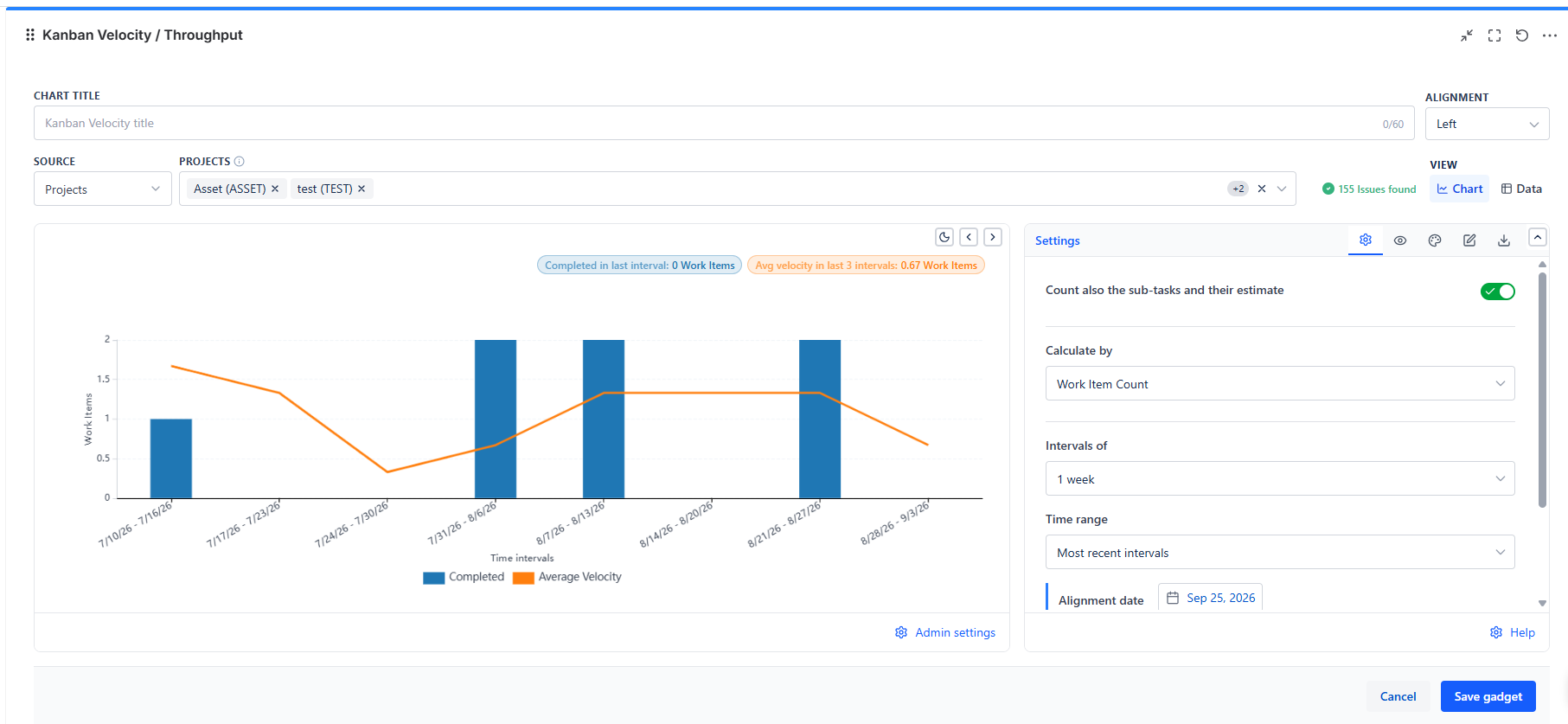
Each bar is one interval - a day, a week, or a month - showing how much work you completed in it. The line running through the bars is your rolling average velocity, so you can see whether throughput is climbing, falling, or holding steady, without doing the math yourself.
Overview
| Feature | Description |
|---|---|
| Chart | Completed work per interval, plus a rolling Average Velocity line calculated from your own recent history |
| 5 Calculate-By Options | Story Points, Story Point Estimate, Original Time Estimate, Work Item Count, or a custom numeric field - so the chart matches however your team actually sizes work |
| 8 Interval Lengths | 1 day up to 8 weeks, plus 1 calendar month, so short sprints and long release cycles are both readable |
| Backlog Forecast | Turns your measured velocity into a plain-language completion estimate for every backlog item, ranked in board order |
| Data View | A row-by-row breakdown of every interval, including the issues that made up each bar's total |
Data Sources
| Source | When to Use |
|---|---|
| Projects | Team-wide velocity across one or more projects |
| Board | Required if you want the Backlog forecast - velocity and board rank both come from here |
| Saved Filter | Reuse a filter your team already maintains |
| Custom JQL | Precise scoping - a single component, label, or issue type |
| Filter Controller | Let a shared dashboard filter bar control which issues feed the chart |
How to Read the Chart
- Bars = completed work in that interval, in your chosen unit - taller bars mean more delivered
- Line = the average of the last few intervals, so you can see the trend without being thrown off by one unusually busy or quiet interval
- The badges above the chart summarize the most recent bar. By default that is the last complete interval; with "Include the current (incomplete) interval" on, it is the interval still in progress, so the headline number can look lower than usual near the start of a new interval
- Switch between the Chart, Data, and Backlog views using the tabs above the gadget - the same underlying numbers, presented three different ways