Formulas
A formula is a math expression over your variables. It is evaluated as a numeric calculation only - it cannot modify data or build text.
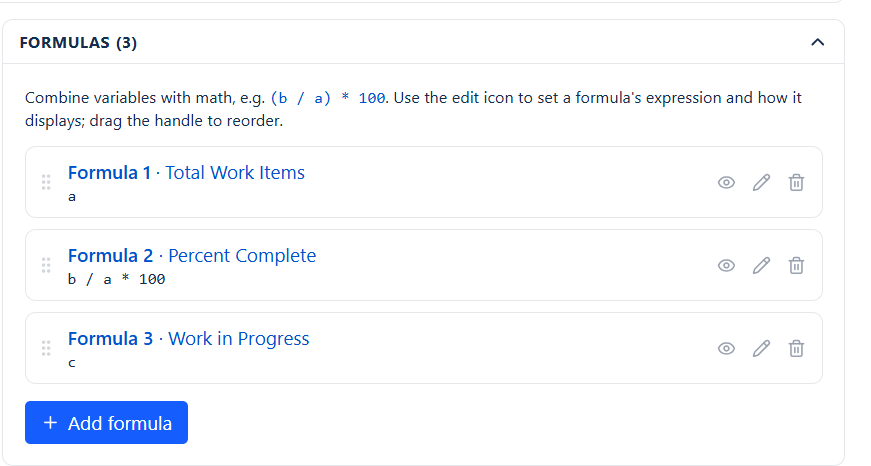
Expression Basics
| Expression | Computes |
|---|---|
a | The value of variable a on its own |
a / b | A ratio |
a / b * 100 | A percentage |
a - b | A difference - actual vs. target |
(a + b) / c | A weighted or combined rate |
a / 3600 | Seconds converted to hours |
Operators: + - * / % and ^ for powers, with parentheses for grouping. Comparison operators are available inside conditional functions.
Function Library
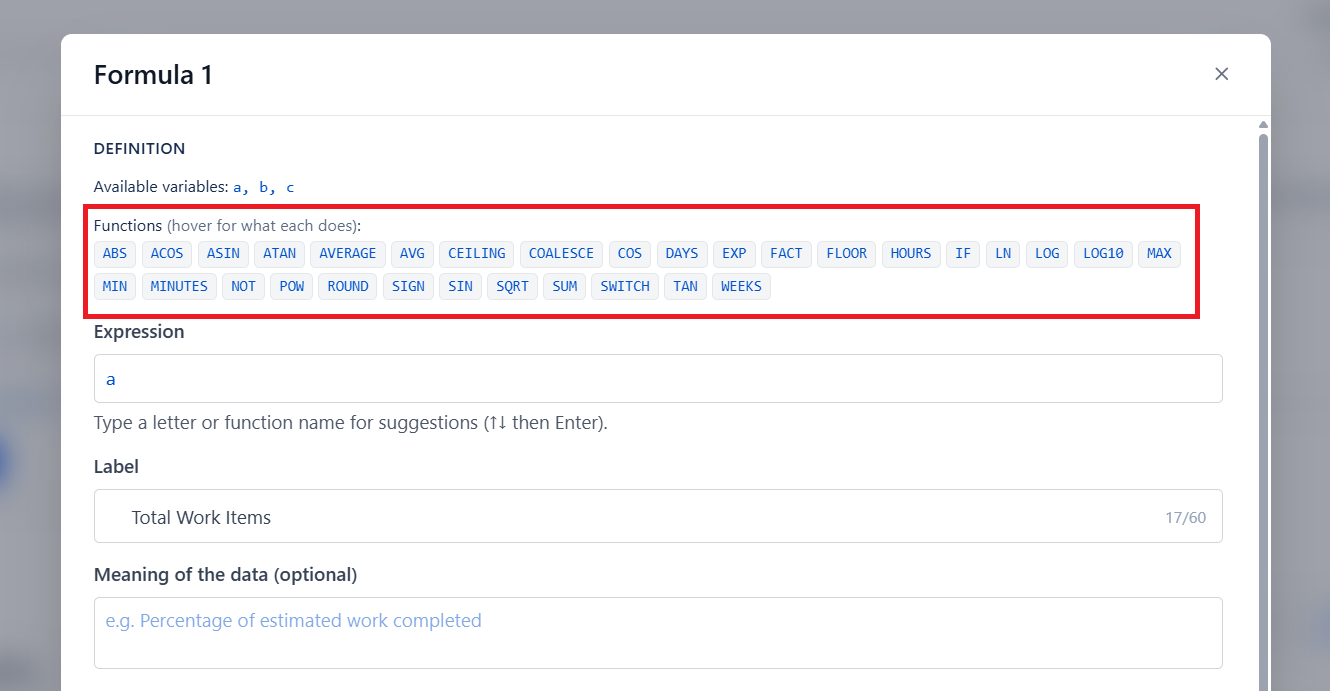
Rounding and sign
| Function | Does | Example |
|---|---|---|
ROUND(x, d) | Rounds to d decimal places | ROUND(3.14159, 2) gives 3.14 |
FLOOR(x) | Rounds down | FLOOR(4.9) gives 4 |
CEILING(x) | Rounds up | CEILING(4.1) gives 5 |
ABS(x) | Absolute value | ABS(-5) gives 5 |
SIGN(x) | 1, -1, or 0 | SIGN(-3) gives -1 |
Aggregate
| Function | Does |
|---|---|
SUM(a, b, c) | Adds the values |
AVERAGE(a, b) or AVG(a, b) | Mean of the values |
MIN(a, b) | Smallest |
MAX(a, b) | Largest |
Conditional
| Function | Does | Example |
|---|---|---|
IF(test, x, y) | x if the test is true, else y | IF(a > b, a, b) |
SWITCH(v, k1, r1, k2, r2, default) | Matches a value against options | SWITCH(a, 1, 10, 2, 20, 0) |
COALESCE(a, b, 0) | First value that is a real number | Guards against NaN |
NOT(x) | Flips 1 and 0 | NOT(a) |
Math
SQRT, POW, EXP, LOG and LN (natural log), LOG10, FACT, plus trigonometric functions. The constants PI and E are available in every expression.
Guard your divisions.
a / breturns NaN when b is 0. Wrap it:IF(b > 0, a / b * 100, 0).
Number Formatting
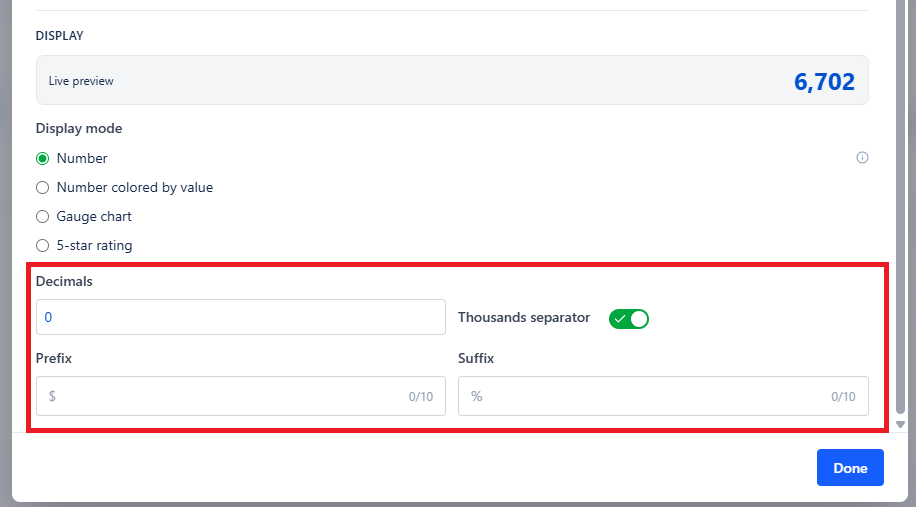
| Setting | Effect |
|---|---|
| Decimals | How many decimal places to show |
| Prefix | Text before the number - a currency symbol, for example |
| Suffix | Text after the number - %, h, pts |
| Thousands separator | Groups large numbers so they stay readable |
Multiple Formulas
Add as many formulas as you need and each gets its own label, meaning text, formatting, and display mode. With the cards layout they appear side by side, turning one gadget into a small KPI panel.
Show NaN controls what happens when a formula cannot be computed. Leave it on while building so you can see the problem; turn it off on a display dashboard so an empty query does not put "NaN" on a wall screen.