Work Breakdown Structure
Overview
The Work Breakdown Structure gadget builds a tree from your issues automatically - pick a data source, choose how you want it organized, and the hierarchy (or link web) is drawn for you.
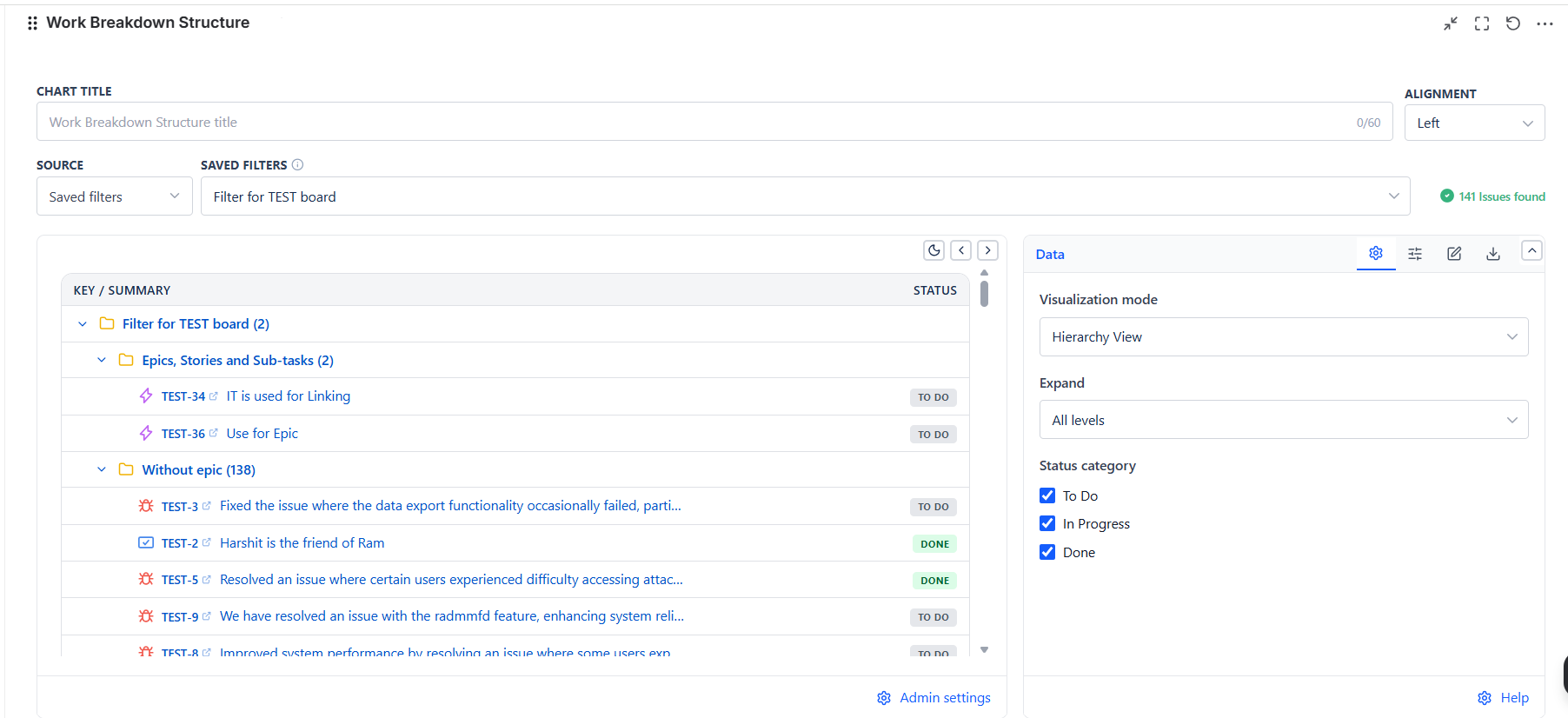
Overview
| Feature | Description |
|---|---|
| Two Visualization Modes | Hierarchy View (parent/child tree) or Linked Work Items View (issue-link tree) |
| 5 Data Sources | Projects, Board, Saved Filter, Custom JQL, Filter Controller |
| Two Display Modes | Compact Tree view or Table view with your own custom columns |
| Status Category Filters | Show or hide To Do / In Progress / Done items |
| Link Type & Depth Controls | Scope Linked Work Items View to specific relationships and hop distance |
| CSV Export & Config Copy | Export the flattened tree, or copy the configuration for reuse |
Data Sources
| Source Type | When to Use |
|---|---|
| Projects | All issues in one or more projects |
| Board | Mirror a specific team's board |
| Saved Filter | Reuse an existing Jira filter |
| Custom JQL | Precise scoping |
| Filter Controller | Connect to a shared dashboard filter bar |
Tip: Board source always uses the board's full backlog, not just the active sprint - this keeps Epics (which are rarely sprint-scoped themselves) correctly nested with their Stories and Sub-tasks.
How to Read the Tree
- The outer folder is named after your data source - the project, board, or filter name (JQL and Filter Controller sources show "Work items")
- Folders show how many direct children they contain, e.g. "Without epic (12)"
- Click any issue key to open it directly in Jira