Team Wallboard
Overview
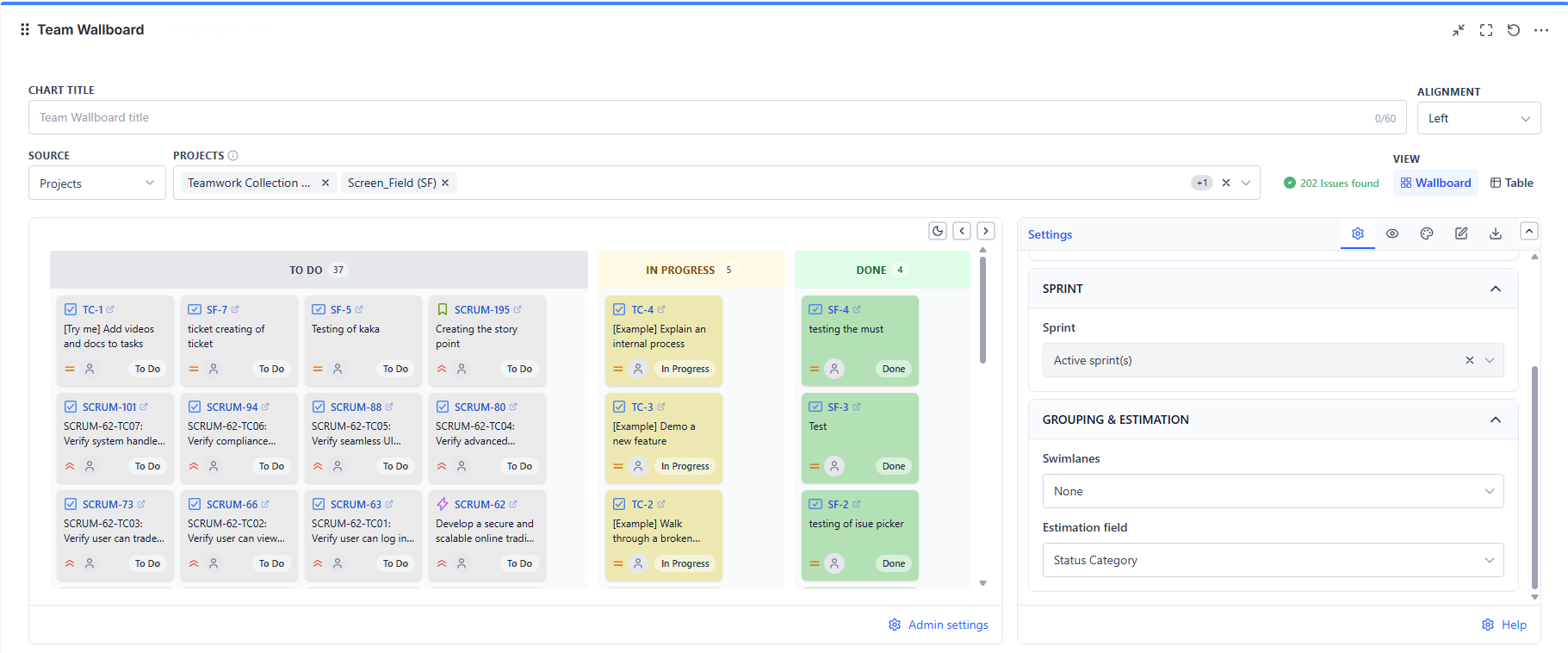
Each work item is a card showing its key, summary, assignee, priority, and estimate. Cards are grouped into columns, and the whole board can be split into horizontal swimlanes.
Overview
| Feature | Description |
|---|---|
| Card Wallboard | One card per work item, grouped into columns |
| Two Grouping Modes | The selected board's own columns, or Jira's status categories |
| Seven Swimlane Modes | None, stories, assignees, reporter, epics, projects, or priorities |
| Board Quick Filters | The selected board's own Jira Quick Filters, applied on top of the board (Board source only) |
| Two Views | Wallboard cards, or a paginated table of the same items |
| Auto-Refresh | Keeps a wall display current without anyone touching it |
| PDF and CSV Export | The board as a document, or the items as data |
Grouping
| Grouping | Columns Are | Use When |
|---|---|---|
| Board columns | The columns of the board you selected, in board order | You want the wallboard to mirror the team's real board exactly |
| Status category | To Do, In Progress, Done | The data source is not a board, or you want a simple three-column rollup |
Board columns require a Board data source. Every other source groups by status category.
Views
| View | Shows |
|---|---|
| Wallboard (default) | Cards in columns, with optional swimlanes |
| Table | The same items as a paginated, sortable table with a configurable page size |
The table view is the better choice when someone needs to scan or sort many items; the wallboard is for shared displays.
Data Sources
| Source Type | When to Use |
|---|---|
| Projects | All work across one or more projects |
| Board | Mirror a real board, including its column layout |
| Saved filters | Reuse an existing team filter |
| Custom JQL | Precise scoping - one epic, one component, one label |
| Filter Controller | Let the shared filter bar re-scope the wallboard with the rest of the dashboard |
How to Use It
- Standup display. Board grouping, sprint set to active, auto-refresh on. Walk the columns right to left
- Blocked-work board. Custom JQL for your blocked flag or label, swimlanes by assignee
- Cross-team overview. Projects source, swimlanes by project, status category grouping