Settings Overview
Navigate to Settings in the sidebar. Settings uses a vertical tab navigation with five tabs.
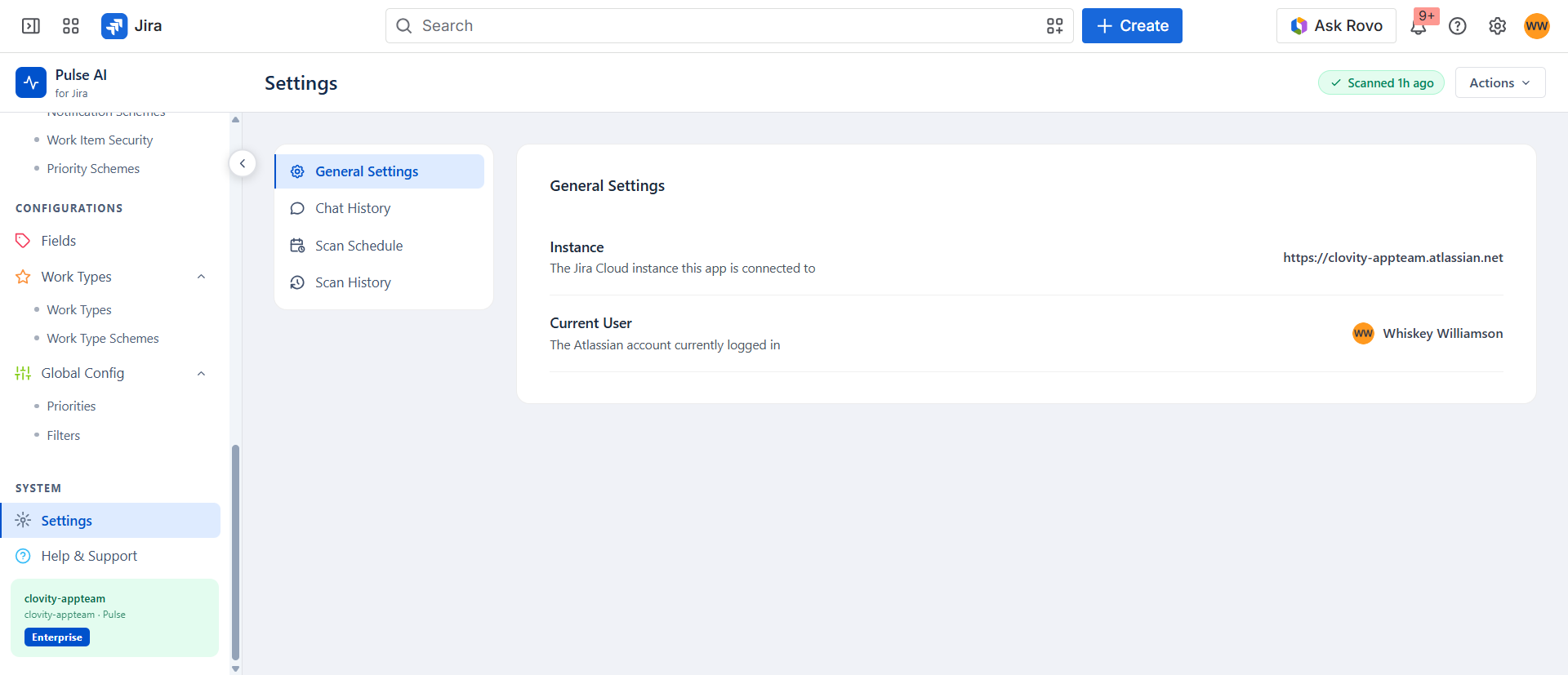
Settings Tabs
| Tab | Description |
|---|---|
| General Settings | Displays the connected Jira instance URL, the currently logged-in Atlassian account, and a Log Out & Reconnect button (see below). |
| Agents | Turn individual Pulse AI Agents on or off for the site. Restricted to site, org, or Jira administrators. |
| Chat History | Last 10 successful Pulse AI Assistant queries for the current user. Includes query text, user avatar, and timestamp. A Clear History button removes all stored entries. |
| Scan Schedule | Current scan frequency (Daily - automated), last scan timestamp, scan duration, live sync status, and a Run Now button to trigger a manual full scan. |
| Scan History | Last 10 scan runs for the organisation. Shows status (Completed), duration, trigger type (Manual or System Scheduler), and actor (user avatar or scheduler icon). |
Note: Scan frequency is managed by the Pulse backend service and is not configurable from within the app. Use Run Now in the Scan Schedule tab to trigger an on-demand scan at any time.
General Settings - Jira Connection
The General Settings tab has three rows:
| Row | Description |
|---|---|
| Instance | The Jira Cloud instance this app is connected to. |
| Current User | The Atlassian account currently logged in. |
| Jira Connection | A Log Out & Reconnect button. |
Use Log Out & Reconnect if Jira actions start failing with a permissions error - it revokes your current OAuth token and returns you to the Connect screen, where reconnecting picks up any permissions Pulse AI has added since you first connected.
Note: This only disconnects your own browser session - it does not sign out other users or remove the app from the site.
Agents Tab
Lists every Pulse Agent whose Marketplace app is installed for this site, with a toggle for each:
- Turning an agent off hides it from the sidebar and blocks direct access to its page.
- Turning it back on restores access immediately.
- Only site, org, or Jira administrators can change these toggles - other users see them disabled.
- If no agent app is installed yet, the tab shows a message pointing to the Atlassian Marketplace.
See Pulse AI Agents → for the full list of agents.