Regional Clock
Display Settings
Label
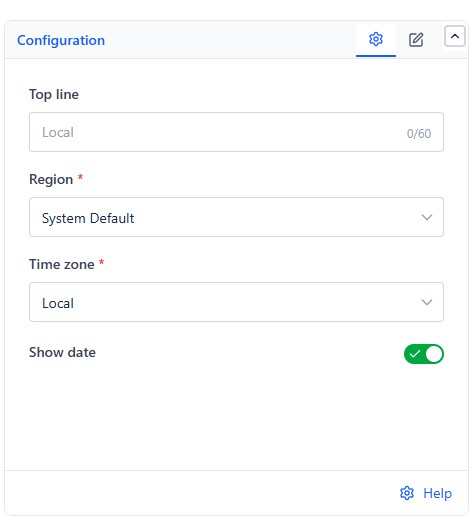
The gadget has two tabs, Configuration and Description. Top line sits on the Configuration tab, alongside Region, Time zone, and Show date.
| Field | Purpose |
|---|---|
| Top line | Optional free text shown directly above the clock - e.g., "London Office" or a team name, so viewers immediately know whose time zone they're looking at |
Live Updates
The clock updates once per minute - since it doesn't display seconds, there's no benefit to refreshing more often than that.
Common Use Cases
Distributed team wallboards. Add one Regional Clock per office - London, Bangalore, New York - so everyone on a shared dashboard can see at a glance whether it's a reasonable time to message that team.
Meeting scheduling context. Pair a couple of Regional Clocks next to a Countdown gadget counting down to a cross-timezone meeting, so viewers see both what time it is there and how long until the meeting starts.